Time tracking
Time your work, study, and daily life. Revisit each day on your timeline.
Track work and study, see where your time goes, and connect your to-do lists with daily plans.
For iPhone, iPad, Android & HarmonyOS · Simple. Ad-free.
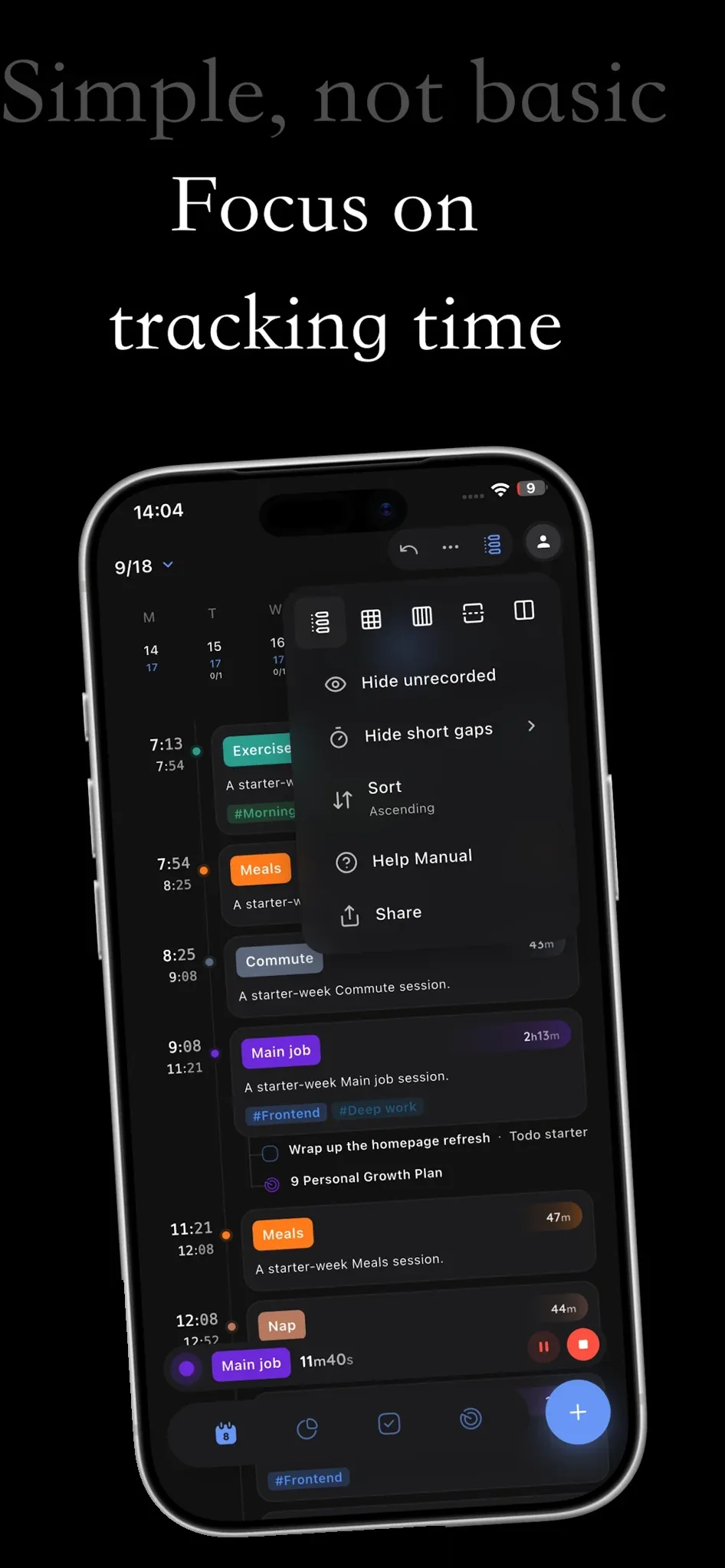
Time your work, study, and daily life. Revisit each day on your timeline.
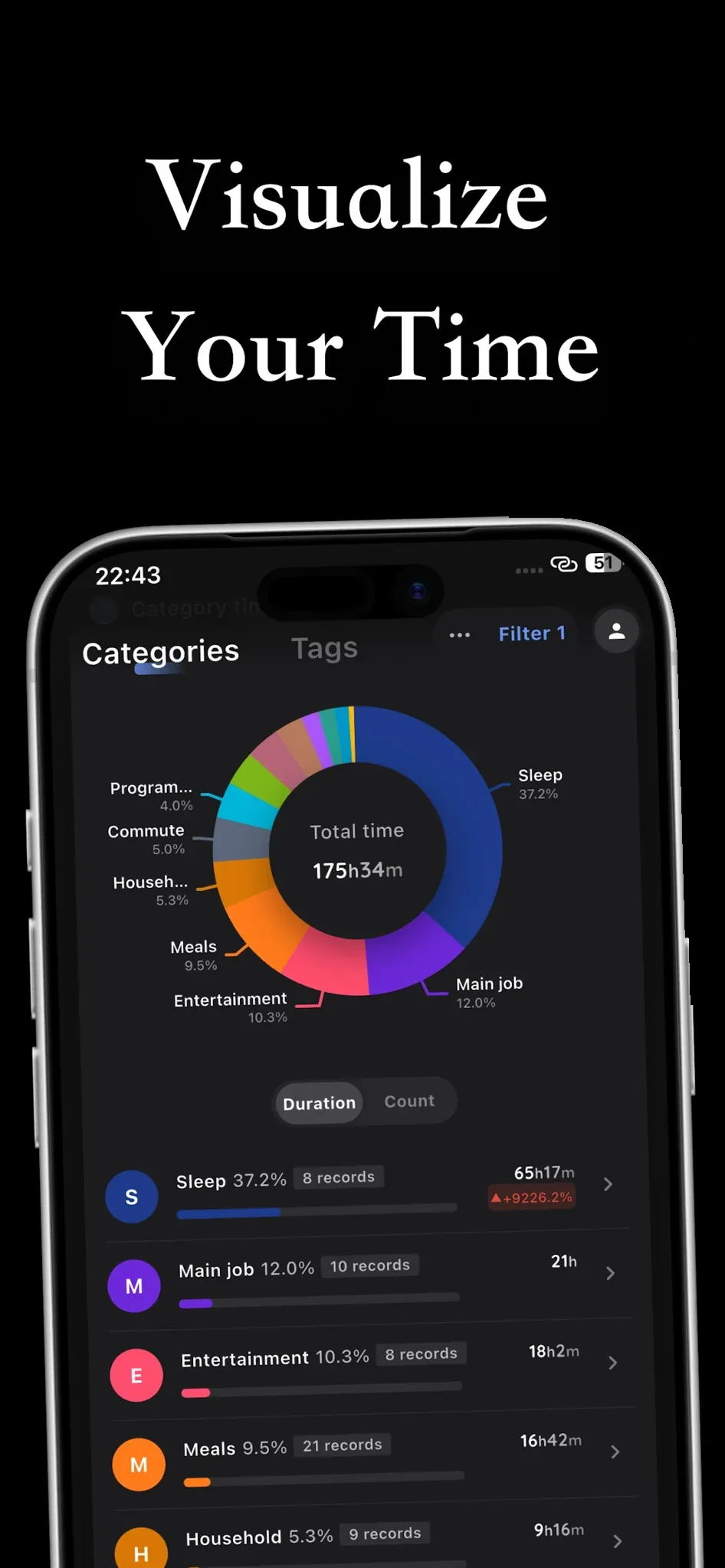
See time spent by category and tag. Understand your effort and plan your next step.
Set priorities and connect tasks with time records. Put your plans into action.
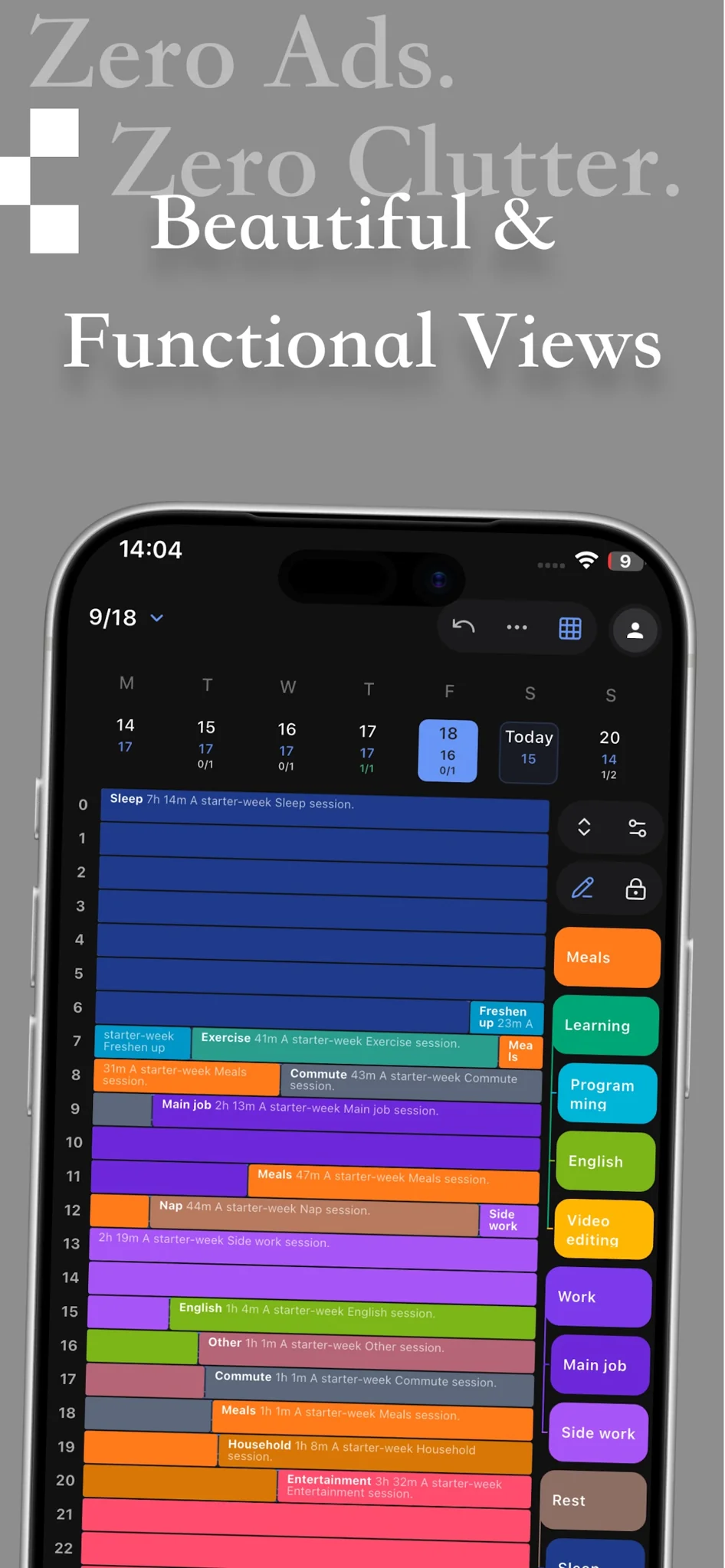
A fresh perspective on your day.
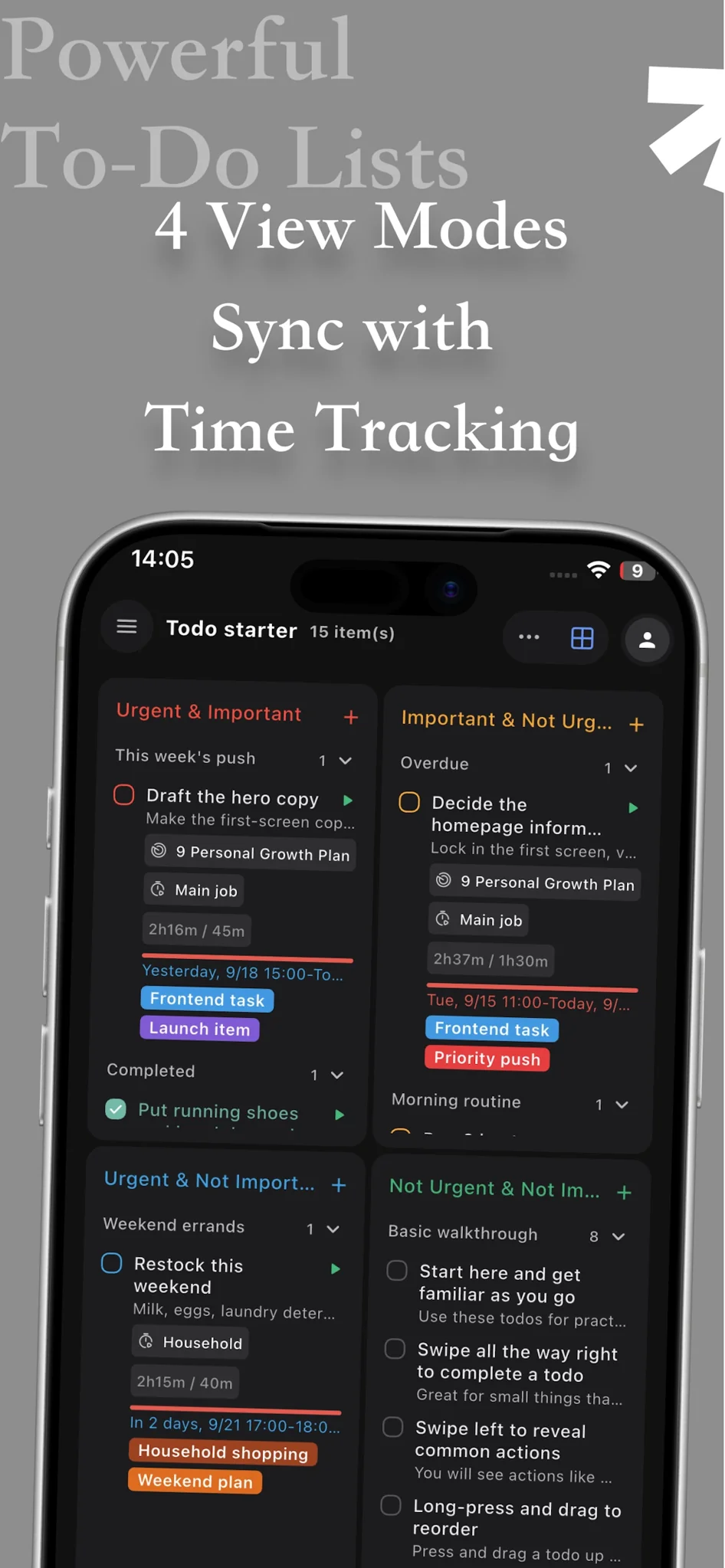
Sort priorities. Focus on what matters.
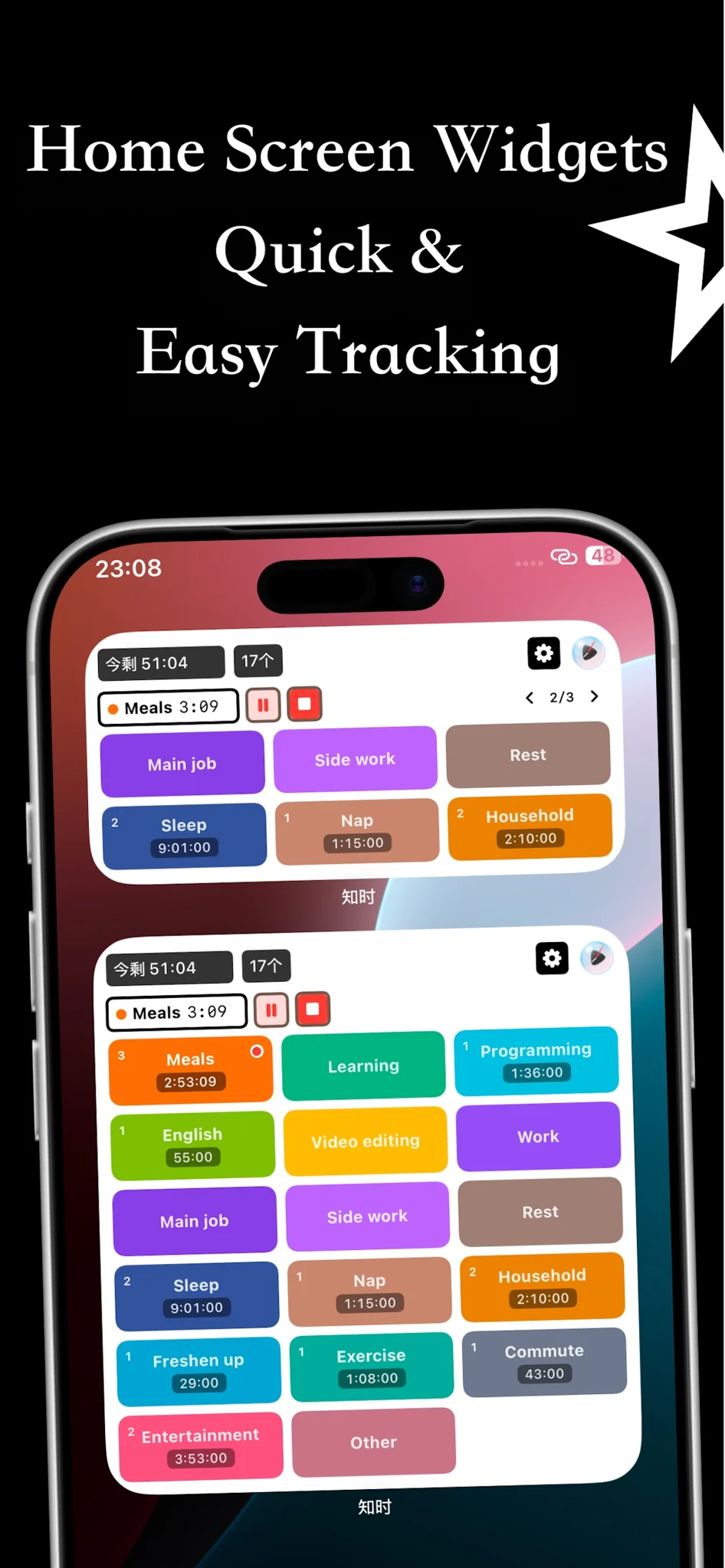
Start tracking from your home screen.
Screenshots show the English app interface
Choose your device to open the matching download page.
KnowTime brings time tracking, category statistics, to-do lists, and plans together. Use it to record work, study, and everyday activities, then reflect on where your time went.
KnowTime offers an ad-free experience so you can focus on tracking and organizing your day.
Download for iPhone and iPad from the App Store, for Android from KnowTime’s Pgyer page, or for HarmonyOS from Huawei AppGallery. Choose your platform below.